Find your next step.
Get started, bring in your sector files, and learn the map tools.
Bring your sector
into the workspace.
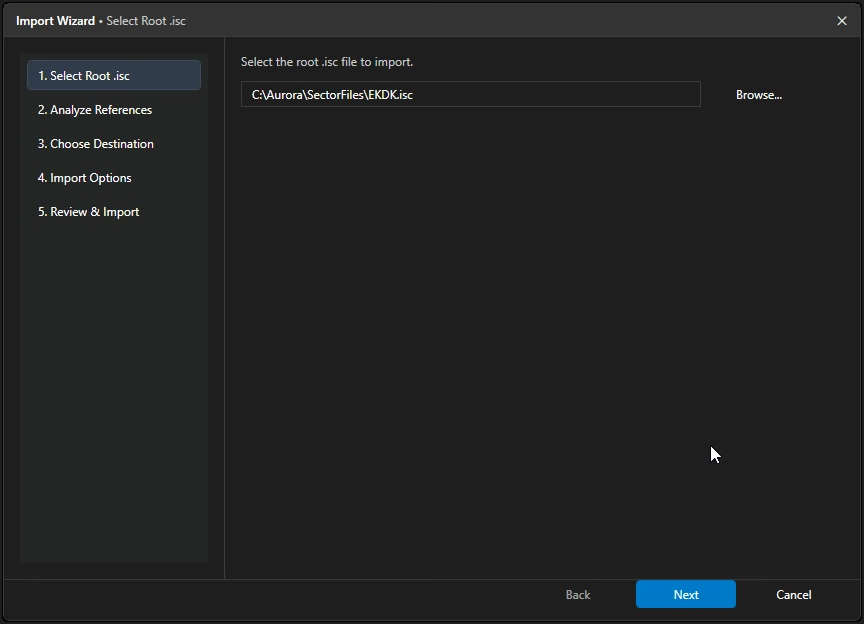
Start with an existing Aurora sector file. Follow the Import Wizard from the root .isc file to an opened project.
What would you like to do?
9 guides and tasks available
Getting started
The basics, one step at a time.
Alpha 5 map tools
Drawing, calculators, point editing and procedure comparisons.
Applies to Alpha 5 map tools
Make your first arcA practical first edit, including Preview, Apply, Undo and Save.
Select points and use right-clickChoose source rows, segments and ranges; understand contextual actions.
Draw arcs, holds and turnsChoose a shape, enter or pick positions, and replace selected geometry.
Calculate a turnTAS/bank radius and chart-constrained VOR/DME base-turn workflows.
Edit existing geometryInsert, move, drag, delete, reverse or resample points.
Copy or convert coordinatesPaste coordinate blocks and explicitly convert resolved named fixes.
Compare proceduresPin references and explicitly activate your edit target.
Resolve a problemFind geometry warnings and solve common tool and preview issues.
No matching guides or tasks.
Try a shorter term, clear the search, or get help.
Take the guides with you.
Self-contained browser guides include their screenshots and work offline.
Preview → Apply → Save.
When editing map geometry, review the route and its joins. Apply one undoable edit to the open document, then save when ready. Applying a preview does not save to disk.
Understand the map tools